We’ve renamed “AppSheet Advisor” to “The Workspace Way”. Don’t worry, AppSheet is still a very big part of what we’re doing. If you’re looking for our Chrome Extension, it has MOVED HERE.
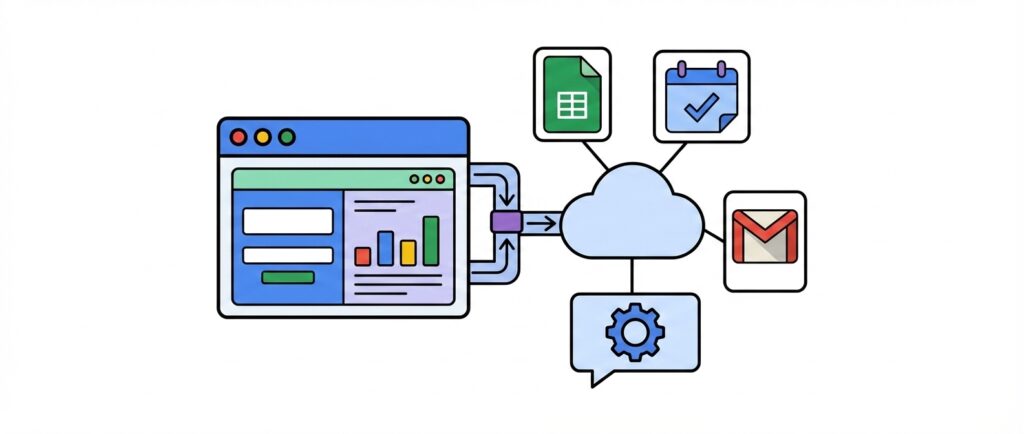
Web app connecting to Google Sheets, Google Calendar, and Gmail through Google Cloud

Google AI Studio Build: From One Prompt to a Full Web App

I needed a simple scheduling app and didn’t want to pay for a subscription service or spin up a whole Google Workspace account just to use AppSheet. So I decided to try Google AI Studio’s Build feature, and what came out of it was a fully functional web app, built from one prompt, that runs […]

Continue Reading
Filed Under: Apps, How To
An illustrated archery target with concentric rings in dark navy, blue, red, and yellow, with an arrow hitting the bullseye. A white notepad labeled "New Year Goals" with bullet points is pinned to the target by the arrow. Small white clouds and sparkle shapes decorate the beige background.

Google AppSheet Tutorial: Create a Habit Tracker in Minutes

In today’s fast-paced world, keeping track of daily habits can be challenging. Many of us struggle to maintain consistency in our daily activities. This challenge is compounded by the lack of simple, accessible tools that allow us to monitor and maintain our progress effortlessly. Google AppSheet is a versatile platform that lets you create applications […]

Continue Reading
Filed Under: Apps, How To, Learning
Google Sheets icon with a warning sign containing an exclamation mark, shown on a green blurred background.

How Much Data Can You Store in Google Sheets for AppSheet Apps?

In this video, we’ll explore the data limits of Google Sheets when used as a data source for AppSheet apps. While AppSheet supports various backends, many app creators start with Google Sheets. But at its core, Sheets isn’t a database, and that means there are some real limitations you should keep in mind as your […]

Continue Reading
Filed Under: Apps, Learning
Wooden mannequin figure in a tie pointing to a digital dashboard labeled “System Uptime,” displaying system status indicators (online, offline, OK), error logs, and pie charts with percentages.

Monitor Website Uptime with This Free Google AppSheet App

If your website is core to your product or sales, uptime really matters. Even short periods of downtime can frustrate users and hurt your business. While advanced tools exist for uptime monitoring, they can be expensive and overly complex, especially if your needs are basic. In this video, we’ll look at how to set up […]

Continue Reading
Filed Under: Apps
QR code displayed prominently over a blurred background of people networking or socializing at an event.

DIY Event Ticketing App with QR Codes Using AppSheet

In this video, we’ll look at a simple way to create a DIY event ticketing system using Google AppSheet and QR codes. This can be really useful for smaller events like school plays, fundraisers, or work functions where you need to keep things organized and professional without dealing with complex tools or paper tickets. The […]

Continue Reading
Filed Under: Apps, How To
An illustration of a computer with the picture of a contact, and some graphs.

A Free and Simple CRM Using Google AppSheet

If you’ve been managing customers and leads in a spreadsheet, there’s a better way! In this video, I’ll show you how to use a free and simple CRM that can set up in Google AppSheet using your Gmail account. Google AppSheet is a powerful no-code tool that lets you turn spreadsheets into apps that you […]

Continue Reading
Filed Under: Apps