
Google AI Studio Build: From One Prompt to a Full Web App
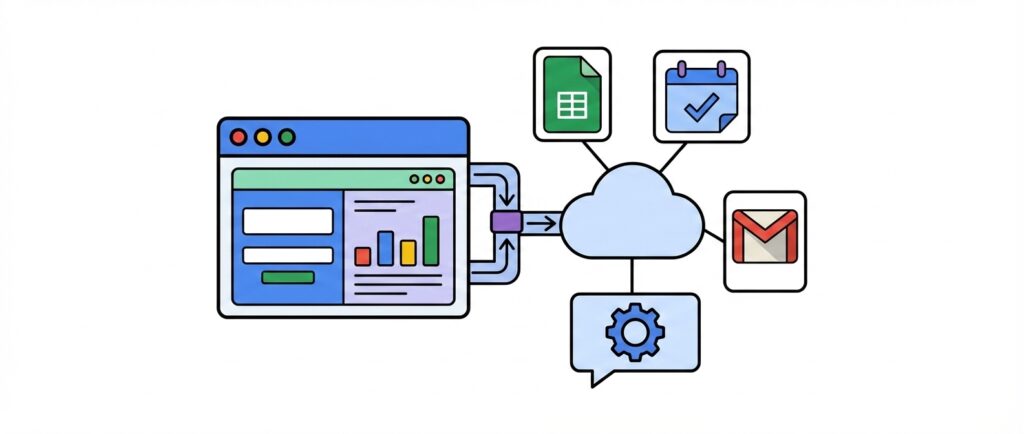
I needed a simple scheduling app and didn’t want to pay for a subscription service or spin up a whole Google Workspace account just to use AppSheet. So I decided to try Google AI Studio’s Build feature, and what came out of it was a fully functional web app, built from one prompt, that runs entirely on top of Google Workspace services.
The app stores all its data in Google Sheets and Google Calendar instead of a traditional database. Users log in, view open months, and claim time slots directly from the calendar. Admins manage users and control which calendars are open for scheduling. It even sends a daily status report through Gmail using Apps Script to handle the scheduling trigger. The whole thing is powered by services most Google Workspace users already have access to, and it runs on Google Cloud Run’s free tier.

Do you build with Google AppSheet (or do you want to)? If so, check out Boost for AppSheet. It's a Chrome extension that helps you build whatever you can imagine. It's free to sign up, and free for lite use.
Building the app in AI Studio is the easy part. You paste in your prompt, select Gemini Pro as the model for anything complex, and let it generate the full app. The more tedious part is the Google Cloud configuration that comes after. You need to enable APIs, set up OAuth, create credentials, wire in your Sheet and Calendar IDs, and deploy. There are a lot of steps, but none of them are difficult. I built a bootstrap page into the app to walk through the setup, so it’s manageable even if you haven’t worked with Cloud Console before.
The real takeaway here is that AI Studio Build can produce a legitimate, working web app that uses real Google Workspace services for storage, communication, and scheduling. The slowest part was writing and refining the prompt, not the build itself. If you want to see the full process from prompt to deployed app, check out the video above.
If you found this helpful and want to learn more about AppSheet and other app-building tips, be sure to subscribe to our channel. Subscribe to stay updated with the latest tutorials and enhance your app-building skills with us!