
We’ve renamed “AppSheet Advisor” to “The Workspace Way”. Don’t worry, AppSheet is still a very big part of what we’re doing. If you’re looking for our Chrome Extension, it has MOVED HERE.
Abstract workflow diagram with wooden blocks connected by arrows and symbols, representing automation and process flow on a light blue background.

Reusing Automation in AppSheet: A Deeper Look

In this video, we explore how to set up reusable automation pieces in AppSheet without the hassle of creating temporary bots. We look at what the “Show all components” setting actually does and how we can jump straight into Processes, Events, and Tasks to build detached components we can attach later. What we cover Why […]

Continue Reading
Filed Under: How To, Learning, Tips
A ‘no spam’ symbol with the word SPAM crossed out in a red circle, over a background of digital email icons representing electronic messages.

Improve AppSheet Email Deliverability with Gmail and Apps Script

In this video, I show how to use your own Gmail or Google Workspace account to send emails from AppSheet using Google Apps Script. This can be a useful alternative if you’re noticing issues like AppSheet emails going to spam, not being delivered, or getting flagged unexpectedly. The default no-reply@appsheet.com address has been used in […]

Continue Reading
Filed Under: How To, Tips
Icon of two documents crossed out with a red prohibition symbol, set against a red abstract background, indicating prevention or restriction of duplicate files.

How to Prevent Duplicate Entries in AppSheet

In this video, I walk through a quick tip for avoiding duplicate records in your AppSheet app. If you’ve ever had users (or yourself) accidentally enter the same information more than once, you know how frustrating it can be to clean up. Thankfully, AppSheet makes it pretty easy to prevent duplicates. In the video, I […]

Continue Reading
Filed Under: How To, Tips
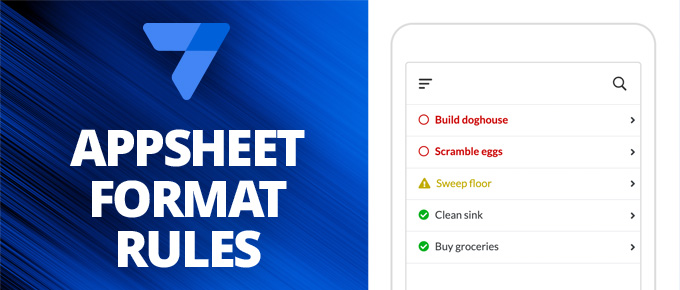
On the left is has the AppSheet logo and the words "AppSheet Format Rules" on a medium blue background. On the right it should an image of phone showing a table with the rows "Build doghouse", "Scramble eggs", "Sweep floor", "Clean sink", "Buy groceries". The first two rows are red with a circle icon to the left. The third row is yellow with a caution icon to the left. The bottom two rows are green with a checkmark icon to the left.

Conditional Formatting in Google AppShet with Format Rules

If you’re familiar with conditional formatting in Google Sheets, you already have an idea of how format rules work in Google AppSheet. Format rules let you change the style of different elements in your app based on specific conditions, making it easier to highlight important information and improve usability. In this video, I walk through […]

Continue Reading
Filed Under: Tips
Outlines of purple email envelope icons in the foreground a blue streaks in the background that make it look like they are moving through the internet.

Send Better Google Forms Email Notifications (and more) With AppSheet

Google Forms makes it easy to collect information, but its built-in email notifications are pretty basic. They don’t include the full content of form submissions, and searching through responses can be limited. That’s where Google AppSheet can help. In this video, I show how to combine Google Forms and AppSheet to create more powerful notifications. […]

Continue Reading
Filed Under: Features, How To, Learning, Tips