
The AppSheet logo above and Zapier logo below, with a curvy arrow connecting the two.

How to Connect Google AppSheet to Zapier Without Code

In this video, I show how to connect Google AppSheet to Zapier, making it easy to automate workflows between AppSheet and thousands of other apps using no-code tools. Zapier acts as a bridge that listens for events from AppSheet and then triggers actions in other tools such as Slack, Gmail, or Google Sheets. The example […]


Continue Reading
Filed Under: How To, Learning
Icon of a calendar with a reminder bell in front of it. Behind the icon is a blue star field.

Build Your Own Appointment Reminder App with Google AppSheet

In this three-part video series, I show how you can build a fully functional, customizable appointment reminder and confirmation app using Google AppSheet. If you’ve ever received helpful reminders from your doctor or hairdresser, this app lets you create that kind of system for your own business. And you can build and host it at […]

Continue Reading
Filed Under: How To, Learning
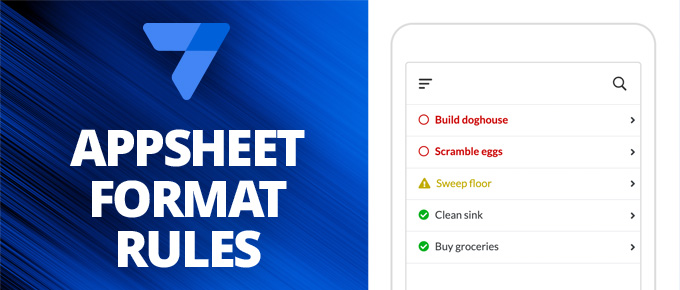
On the left is has the AppSheet logo and the words "AppSheet Format Rules" on a medium blue background. On the right it should an image of phone showing a table with the rows "Build doghouse", "Scramble eggs", "Sweep floor", "Clean sink", "Buy groceries". The first two rows are red with a circle icon to the left. The third row is yellow with a caution icon to the left. The bottom two rows are green with a checkmark icon to the left.

Conditional Formatting in Google AppShet with Format Rules

If you’re familiar with conditional formatting in Google Sheets, you already have an idea of how format rules work in Google AppSheet. Format rules let you change the style of different elements in your app based on specific conditions, making it easier to highlight important information and improve usability. In this video, I walk through […]

Continue Reading
Filed Under: Tips
Outlines of purple email envelope icons in the foreground a blue streaks in the background that make it look like they are moving through the internet.

Send Better Google Forms Email Notifications (and more) With AppSheet

Google Forms makes it easy to collect information, but its built-in email notifications are pretty basic. They don’t include the full content of form submissions, and searching through responses can be limited. That’s where Google AppSheet can help. In this video, I show how to combine Google Forms and AppSheet to create more powerful notifications. […]

Continue Reading
Filed Under: Features, How To, Learning, Tips
Illustration of a laptop. with the word "Automation" on the screen, and icons of an email and a robot, and some sliders for controlling settings.

Automate Your AppSheet Workflows with Gmail Triggers

Google recently introduced a powerful new feature that allows Gmail to trigger automations in your AppSheet apps. This makes it much easier to connect AppSheet with other tools that send emails, all without writing any code. The feature was released in public beta in February 2025, and you should have access to it now. How […]

Continue Reading
Filed Under: Features, How To