Subscriptions for our products are handled through a company named Paddle.
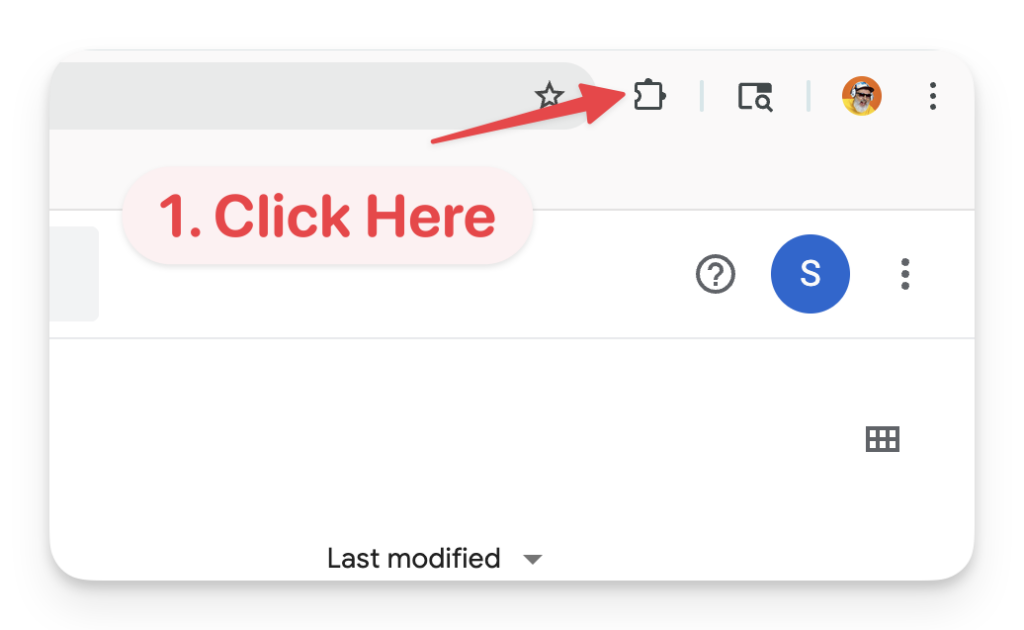
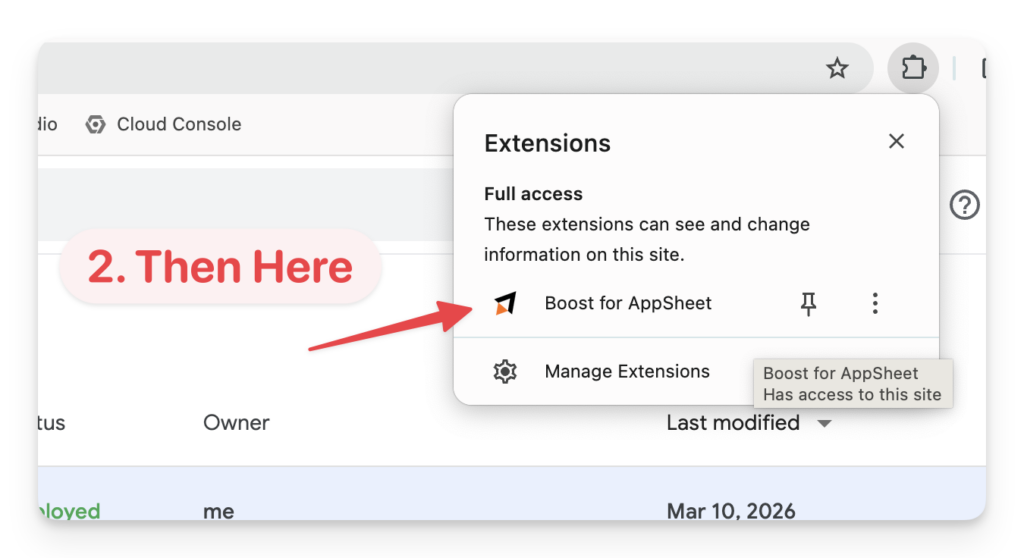
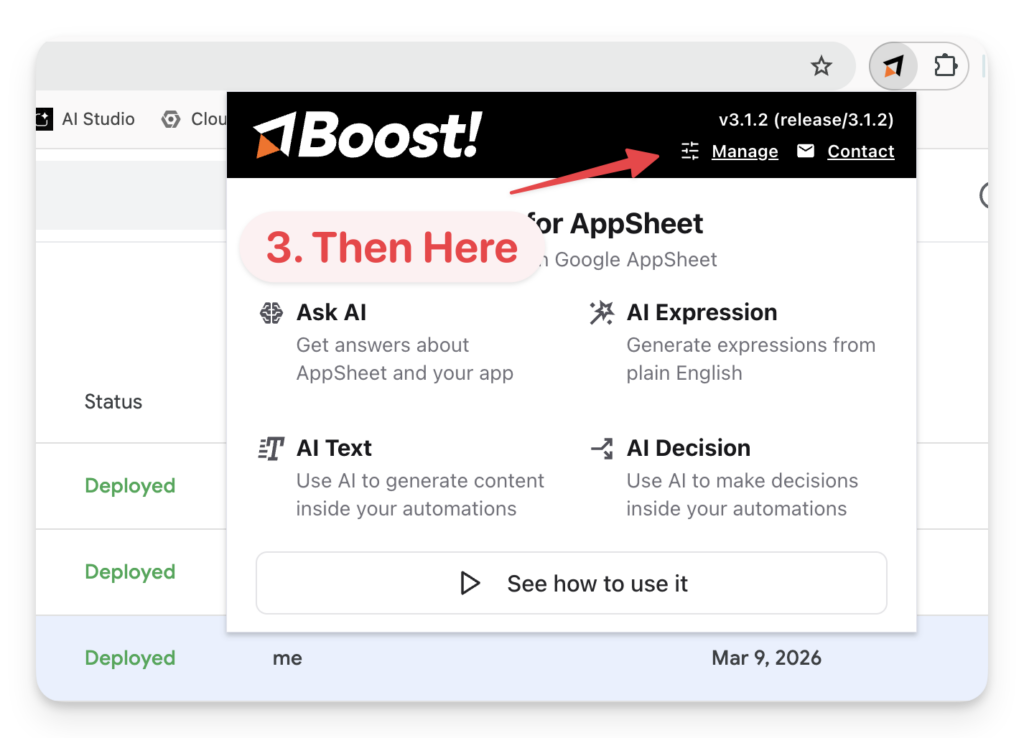
If you have the Boost for AppSheet Chrome Extension installed, and it is activated, you can manage your subscription by clicking the “Manage” link in the extension popup. (see screenshots below)
If you don’t have the extension installed, or if it’s not activated, you can manage your subscription on Paddle by logging in with the email that you registered (for Boost) with.
If you have questions, or need help, please contact us.
How to Manage Your Subscription in the Boost Extension